
Transparency note: This article contains no affiliate links, and no company paid for or reviewed it. I pay for most of the AI tools I use myself.
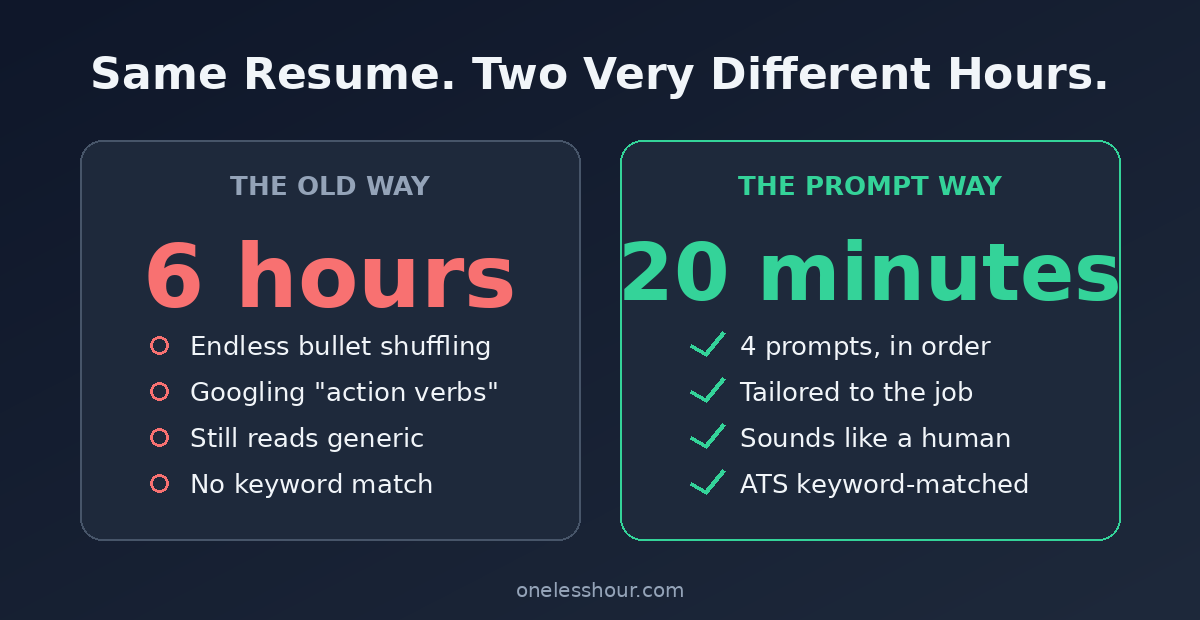
Two years ago I spent an entire Saturday on my resume. Six hours. I shuffled bullet points, googled “strong action verbs,” and rewrote my summary maybe fifteen times. It still read like everyone else’s.
Last month I built a ChatGPT resume from the same raw material in about 20 minutes. It got me two callbacks in the first week.
Here’s the honest part: a ChatGPT resume isn’t magic, and the raw output is usually pretty bland. But feed it the right information and use the prompts below, and you’ll go from blank page to a tailored, ATS-ready draft before your coffee gets cold. This is the exact process I use, step by step.
Why most ChatGPT resumes get rejected
Most people open ChatGPT, type “write me a resume for a marketing job,” and paste whatever comes out. The result is generic mush. Every line sounds like a LinkedIn ad, and none of it is actually about them.
There’s a second problem too. Most mid-size and large companies run your resume through applicant tracking software (ATS) before a human ever reads it. That software scans for specific keywords from the job posting. If your resume doesn’t contain them, you get filtered out — no matter how good you are.
The thing most people miss? The weak part is never ChatGPT. It’s the input. Give it vague instructions, get a vague resume. Give it your real experience plus the exact job description, and it turns into a real writing partner.
The 20-minute ChatGPT resume process
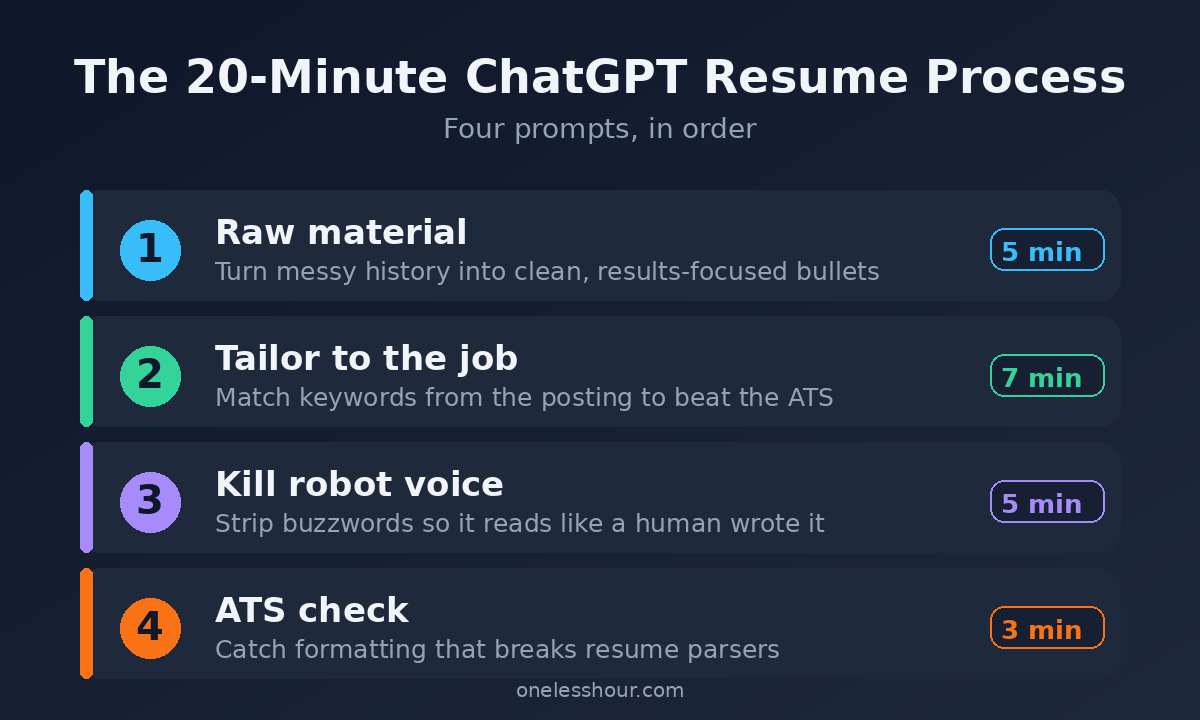
Four steps. I’ve timed it more than once, and it lands around 20 minutes once you have your old resume and the job posting open in front of you.
- Step 1 (5 min): Feed ChatGPT your raw material
- Step 2 (7 min): Tailor it to the exact job
- Step 3 (5 min): Kill the robot voice
- Step 4 (3 min): Run an ATS formatting check
Step 1: Give ChatGPT your raw material
Don’t ask ChatGPT to invent your career. Hand it the facts and let it do the writing. Paste in your current resume (or a messy brain-dump of your jobs, dates, and what you did), then use this prompt.
You are an expert resume writer. I’m going to paste my work history below. Rewrite it into clean, results-focused resume bullet points. Rules: start each bullet with a strong action verb, keep each to one line, and use the format “Did X, resulting in Y.” Do not invent numbers or achievements I didn’t give you — if a metric is missing, leave a [ADD NUMBER] placeholder. Here’s my history: [PASTE]
That “[ADD NUMBER]” rule matters. Left alone, ChatGPT will happily make up that you “increased revenue 34%.” Lying on a resume is how you lose a job offer in the reference check. The placeholder forces you to fill in real figures.
Try this now: even if you only have a rough job history in a notes app, paste it in with that prompt. You’ll get a cleaner starting point in 30 seconds than I got in six hours of solo editing.
Step 2: Tailor it to the exact job
This is the step that beats the ATS, and it’s the one almost everyone skips. Copy the full job description from the posting. Then feed it in.
Here is a job description I’m applying for: [PASTE JOB POST]. Compare it to my resume above. List the top 10 keywords and skills from this posting that I should include. Then rewrite my bullets to naturally include the ones that genuinely match my experience. Don’t add skills I don’t have — just surface the ones I already do.
Now your resume speaks the same language as the posting. When the software scans for “cross-functional,” “stakeholder management,” or whatever the role calls for, the words are there — because they were already true about you, just phrased differently.
Pro tip: do this fresh for every single application. Tailoring takes seven minutes and it’s the biggest reason a ChatGPT resume outperforms a generic one. One master resume blasted to 40 jobs is why people hear nothing back.
Step 3: Kill the robot voice
Out of the box, ChatGPT writes like a corporate press release. It leans on “spearheaded,” “leveraged,” “results-driven professional,” and “dynamic team player.” Recruiters read those words a hundred times a day and their eyes glaze over.
Rewrite these bullets to sound like a real person wrote them, not a corporate template. Remove buzzwords like spearheaded, leveraged, dynamic, results-driven, and synergy. Use plain, specific language. Keep the achievements and numbers exactly as they are.
Your resume should sound like a competent human, not a chatbot doing an impression of one.
Pro tip: read your top three bullets out loud. Any line you’d never actually say to a friend at a bar gets cut or simplified. Your ear catches robot-speak faster than your eyes do.
Step 4: Run an ATS formatting check
Fancy resumes with columns, tables, icons, and photos look great to you and confuse the software. Plain beats pretty every time here.
If you would rather not hand-build the formatting at all, dedicated builders handle the ATS layer for you. I tested seven and tracked the ATS score each one produced.
Act as an ATS (applicant tracking system). Scan the resume below and tell me: 1) which sections a parser might misread, 2) any missing standard headings like Experience, Education, or Skills, and 3) formatting that could break parsing, like tables or columns. Give me a simple fix for each.
Then build the final version in a plain layout: standard headings, no tables, no text boxes, a common font, saved as a .docx or a text-based PDF. Boring on the outside, keyword-rich on the inside. That’s the combination that gets you to a human.
Try this now: before you export, paste your final draft back into ChatGPT with the ATS prompt one more time. Thirty seconds of double-checking beats a silent rejection.
My exact prompts, in order
Here’s the whole sequence in one place so you can copy it without scrolling back up.
| Step | What it does | Time |
|---|---|---|
| 1. Raw material prompt | Turns messy history into clean bullets | 5 min |
| 2. Tailoring prompt | Matches keywords to the job (beats ATS) | 7 min |
| 3. De-robot prompt | Strips buzzwords, sounds human | 5 min |
| 4. ATS check prompt | Catches formatting that breaks parsers | 3 min |
What ChatGPT still gets wrong
I use this process for every application, but I don’t trust it blindly. Here’s where it slips up:
- It invents numbers. If you don’t add the “no made-up metrics” rule, it will fabricate impressive-sounding stats. Always check every figure against reality.
- It drifts generic. Ask for a “professional summary” and you’ll get four sentences that could describe anyone. Rewrite that part yourself.
- It doesn’t know 2026 hiring norms. It won’t know that a specific company hates buzzwords or loves a portfolio link. That judgment is still yours.
- It over-formats. Left alone it adds tables and columns that wreck ATS parsing.
The downside: if you paste the raw output straight into an application without reading it, you’ll send something worse than your original. This is a 20-minute process, not a 2-minute one. Skip it if you’re not willing to review every line — a sloppy AI resume is easier for recruiters to spot than you’d think.
Don’t want to pay for anything? The free tier of ChatGPT handles this whole workflow fine. You don’t need ChatGPT Plus for a resume. If you’d rather not use ChatGPT at all, Claude and Google’s Gemini both have free tiers that run these same prompts well.
Frequently asked questions
Can ChatGPT write my resume for free?
Yes. The free version of ChatGPT runs every prompt in this guide with no limits that matter for a one-off resume. You only hit paywalls with heavy daily use, which writing one resume won’t trigger.
Is it OK to use ChatGPT for a resume?
It’s fine — a resume is a document you’re allowed to get help writing, the same way you’d ask a friend to proofread it. The one rule: every fact has to be true. Use ChatGPT to phrase your real experience better, never to invent experience you don’t have.
Can employers tell if you used ChatGPT?
They can tell if you were lazy with it. Generic, buzzword-heavy output is a giveaway. If you tailor it to the job and strip the robot voice (steps 2 and 3), it just reads like a well-written resume — which is the goal.
What’s the best ChatGPT prompt for a resume?
The tailoring prompt in Step 2 is the highest-impact one, because it’s what gets you past the ATS filter. But the sequence works because each prompt builds on the last — raw material, then tailoring, then voice, then formatting.
Start with one application today
Pick one job you actually want. Open your old resume and the posting side by side, then run the four prompts in order. Twenty minutes from now you’ll have a tailored, ATS-friendly draft — and a repeatable system for every application after this one.
Once your resume is done, don’t send it naked. A tailored cover letter is often what tips a “maybe” into an interview, and you can write one with the same tool in even less time. Here’s my ChatGPT cover letter method. If you want to get faster at prompting in general, my daily ChatGPT prompting techniques will save you time well beyond the job hunt.