
Transparency note: This article contains no affiliate links, and no company paid for or reviewed it. I pay for most of the AI tools I use myself.
The blank page used to eat 40 minutes of my morning before I’d typed a usable sentence. Not anymore.
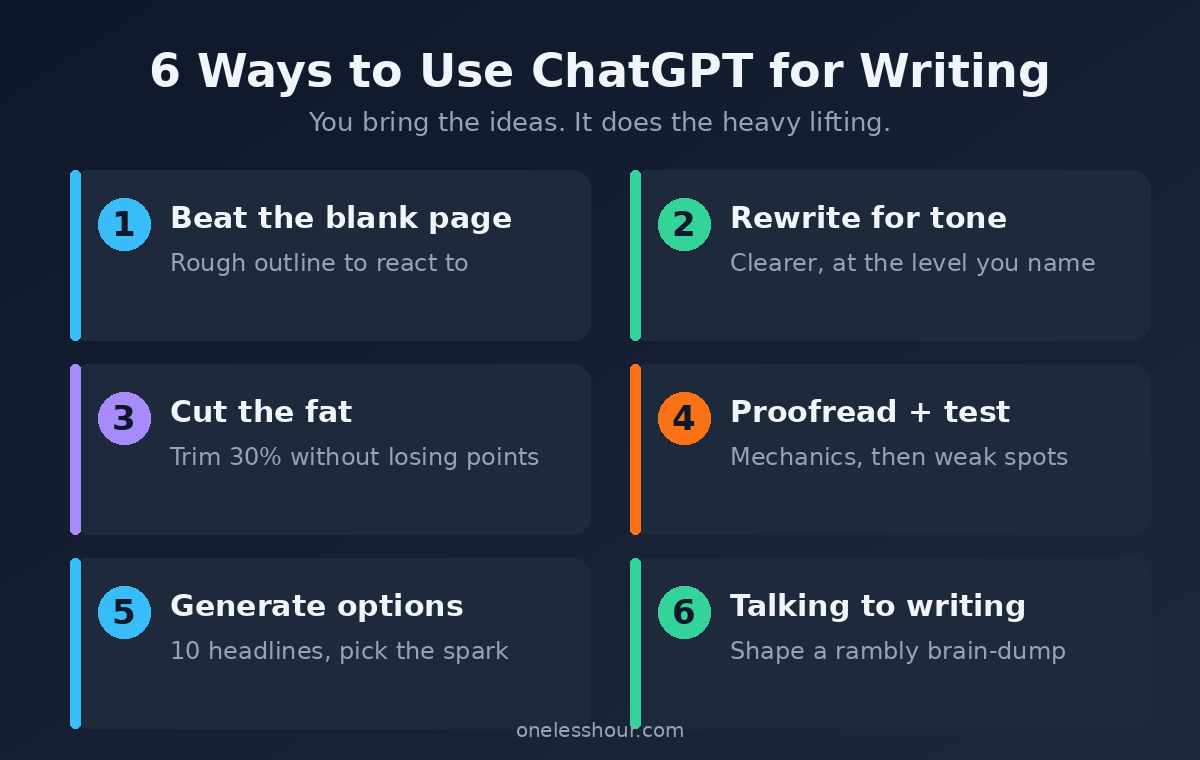
Here’s what took me a year to figure out: using ChatGPT for writing isn’t about typing “write me a blog post” and pasting whatever comes back. That output is bland, and everyone can smell it. The real value is using it for six specific jobs — outlining, rewriting, tightening, editing, generating options, and beating the blank page — while you stay the actual writer.
Below are the exact six ways I use ChatGPT for writing every week, the prompts I paste in, and the honest list of things it still can’t do. None of this replaces your voice. It just gets you to a finished draft in half the time.
The mistake almost everyone makes
Most people treat ChatGPT like a vending machine: request in, finished article out. You get grammatically perfect text that says nothing, in a voice that belongs to no one. Editors and readers spot it instantly.
The fix is a mindset shift. ChatGPT is a writing partner that never gets tired, not a ghostwriter. You bring the ideas, the opinions, and the voice. It handles the mechanical parts — structure, second drafts, cutting, proofreading — that usually drain your energy. Here’s how that splits into six jobs.
1. Beat the blank page
The hardest part of writing is the first ugly draft. So I don’t ask for a good one — I ask for a rough one to react to.
Here are my rough notes on [TOPIC]: [PASTE MESSY NOTES]. Turn these into a quick, rough outline with 5-6 sections. Don’t polish it — I just want a skeleton to react to and rearrange.
Reacting is easier than creating. The second I see a structure on screen, I know what’s wrong with it, and fixing it pulls the real article out of me.
Try this now: dump your messiest, most disorganized notes into that prompt. The worse your notes, the more useful the skeleton.
2. Rewrite for tone and clarity
When a paragraph is clumsy but I can’t see why, I hand it over with a specific instruction. Vague requests get vague rewrites, so I name the tone I want.
Rewrite this paragraph to be clearer and more direct, at about an 8th-grade reading level. Keep my meaning and any specific details exactly. Don’t add buzzwords. Here it is: [PASTE]
Pro tip: ask for three versions, not one. “Give me three rewrites in different tones” hands you options to steal from instead of a single take-it-or-leave-it answer.
3. Cut the fat
My first drafts are always too long. ChatGPT is ruthless in a way I struggle to be with my own words.
Cut this by 30% without losing any key point. Remove filler, repeated ideas, and any sentence that doesn’t earn its place. Show me the trimmed version. Here it is: [PASTE]
Then I read both versions. Usually the shorter one wins, but sometimes it cuts a line I loved — so I paste that line back. You’re still the editor. It just does the first painful pass.
4. Proofread and pressure-test
Before anything goes out, I run it through a two-part check: mechanics, then logic.
Proofread this for grammar, spelling, and awkward phrasing — list the fixes, don’t rewrite the whole thing. Then tell me: is there any claim here a reader could poke a hole in? Here’s the text: [PASTE]
That second question is the underrated one. It catches the weak spot in my argument before a reader does, which has saved me from more than one embarrassing comment.
5. Generate options fast
Headlines, subject lines, opening hooks, calls to action — the small high-stakes lines are where I stall the longest. ChatGPT is a brainstorming machine for these.
Give me 10 headline options for this article. Mix styles: some direct, some curiosity-driven, some with a number. Keep them under 60 characters. Here’s the article: [PASTE OR SUMMARIZE]
Pro tip: you’re not looking for the winner in the list. You’re looking for the one phrase in option 7 that sparks the headline you actually write yourself.
6. Turn talking into writing
Some days the ideas are clear in my head but won’t come out on the page. So I talk them out — literally dictate a rambling voice-to-text brain-dump — and let ChatGPT shape it.
The same speaking-first approach works for learning a language, not just drafting in your own. These are the four modes that finally got me talking.
This is me talking through an idea out loud, so it’s rambly and repetitive: [PASTE TRANSCRIPT]. Organize it into a clear, structured piece. Keep my phrasing and personality — don’t make it sound corporate.
This one feels like magic the first time. Your natural speaking voice is often better than your careful writing voice, and this keeps it.
The six uses at a glance
| Use | What it replaces | Time saved |
|---|---|---|
| 1. Beat the blank page | Staring, procrastinating | ~30 min/piece |
| 2. Rewrite for tone | Fiddling with one paragraph | ~10 min |
| 3. Cut the fat | Painful self-editing | ~15 min |
| 4. Proofread + test | A second reader you don’t have | ~20 min |
| 5. Generate options | Headline paralysis | ~15 min |
| 6. Talking to writing | Rewriting from scratch | ~25 min |
What ChatGPT is still bad at
I’d be lying if I said it does everything. Here’s where it falls down, and where you have to stay in charge:
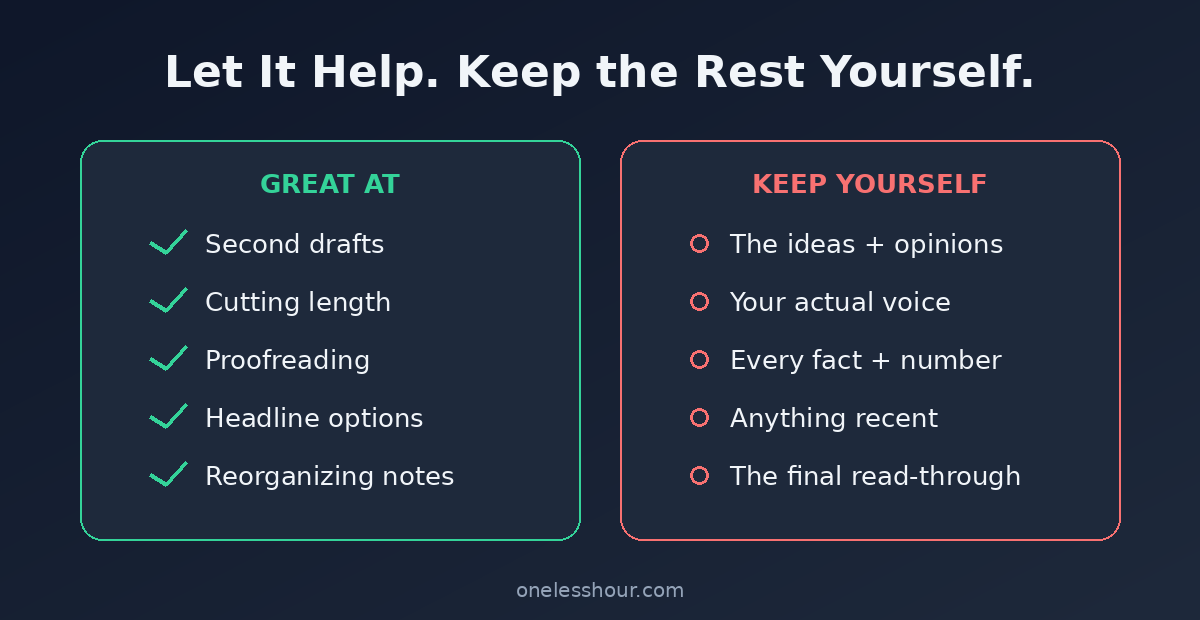
- Facts. It invents statistics, quotes, and sources that look real. Never publish a number it gave you without checking the original source yourself.
- Your actual voice. Out of the box it writes in a smooth, generic “AI” tone. It can mimic your style if you feed it samples, but the default is forgettable.
- Anything recent. The free model’s knowledge has a cutoff, so it doesn’t know last week’s news unless you paste it in.
- Long-form coherence. Over 1,500 words it starts repeating itself and losing the thread. Work in sections, not one giant prompt.
The downside: if you skip the human pass and publish raw output, you get bland, occasionally wrong text with your name on it. Skip ChatGPT entirely for anything where being factually perfect matters more than speed. And if you want a tool built around writing specifically, the free tiers of Claude and Grammarly are worth a look — I compared the options in my guide to free AI writing tools.
Keep your voice in the driver’s seat
The last step is always mine. I read the whole thing out loud and rewrite anything that doesn’t sound like me — the odd phrase, the joke, the strong opinion a machine would never risk. That final human pass is the difference between “written with ChatGPT” and “obviously written by ChatGPT.”
What the human pass actually looks like
So “add your voice” isn’t just a slogan, here’s a real before-and-after. Same idea, two versions:
ChatGPT’s draft: “Effective time management is essential for maximizing productivity and achieving your goals.”
After my pass: “You don’t need a better calendar. You need to stop saying yes to things that don’t matter.”
The first is technically correct and completely dead. The second has a point of view — the one thing ChatGPT can’t invent for you. That thirty-second rewrite is the entire difference between forgettable and worth reading.
Frequently asked questions
Can ChatGPT write an entire article for me?
It can, but you shouldn’t let it. A fully auto-generated article is generic and often has invented facts. Use it for the six jobs above and keep the ideas and final voice yours — that’s where the quality comes from.
Is using ChatGPT for writing considered plagiarism?
No — it generates new text rather than copying existing work. The real risks are accuracy (it makes things up) and voice (it sounds generic). Fact-check and rewrite in your own voice, and you’re on solid ground.
Can people tell if I used ChatGPT to write something?
They can tell if you were lazy with it. Raw output has a recognizable smooth, hedge-everything tone. Edit it, add specific details only you know, and cut the buzzwords, and it just reads like good writing.
Is ChatGPT for writing free?
Yes. The free tier handles every prompt in this guide comfortably. You’d only need a paid plan for very heavy daily volume, which most writing tasks won’t hit.
Pick one and try it today
Don’t try to use all six at once. Next time you write anything — an email, a report, a post — pick the job you hate most (mine’s the blank page) and hand just that part to ChatGPT. Keep the rest yours.
Want sharper results? The quality of everything above depends on your prompts, so start with my daily ChatGPT prompting techniques. And if you’re writing a resume specifically, I’ve got a dedicated ChatGPT resume process that follows these same principles.