
Transparency note: This article contains no affiliate links, and no company paid for or reviewed it. I pay for most of the AI tools I use myself.
Grok is the AI chatbot built by Elon Musk’s company xAI, and it’s wired straight into X (the app formerly known as Twitter). That one fact is what makes it different from ChatGPT — and it’s also why most people use it wrong.
If you’re wondering how to use Grok without paying for a plan you don’t need, this is the plain-English version. I’ll cover how to get in for free, what Grok actually beats ChatGPT at, where it falls flat, and the prompts that actually play to its strengths.
Quick heads-up: xAI ships new versions fast. The prices and model names below are current as of 2026, but treat them as a snapshot, not gospel.
What Grok actually is
Grok is a conversational AI, the same category as ChatGPT, Claude, and Gemini. You type, it answers. The flagship model in 2026 is Grok 4.3, and it can handle text, images, and even video.
The thing that sets it apart is live access to X. Ask ChatGPT what people are saying about a news story right now and it shrugs. Grok reads the live feed. That real-time pulse is its whole personality — plus a looser, more sarcastic tone than the buttoned-up competition.
Set up Grok in 2 minutes
There’s almost no setup, which is half the appeal:
- Go to grok.com or download the Grok app from your phone’s app store.
- Sign in with an X, Google, or Apple account — any of them works.
- Start typing. You’re on the free tier automatically, no card required.
- Find the toggles near the message box for DeepSearch (live web research) and voice mode.
That’s it. If you’ve ever opened ChatGPT, the layout will feel familiar within seconds — a message box, a history sidebar, and a couple of mode switches.
How to access Grok (free and paid)
You’ve got three front doors: the grok.com website, the Grok mobile app (iOS and Android), and inside X if you have an account. Pick whichever you already live in.
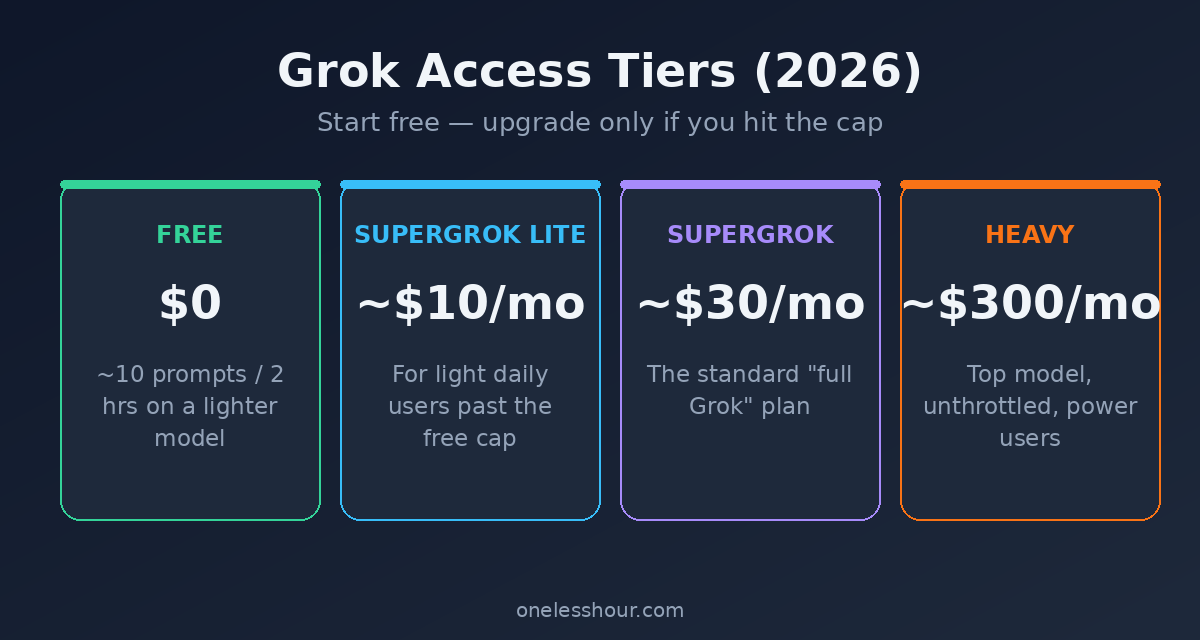
The free tier is real, not a trial. You just hit a ceiling fast. xAI doesn’t publish the exact limit, and it changes, but expect to run out after a short session. Here’s how the plans shake out.
| Plan | Price (checked Oct 2026) | Who it’s for |
|---|---|---|
| Free | $0 | Casual use; capped usage (xAI doesn’t publish the exact limit) |
| SuperGrok Lite | $10/mo | Light daily users who hit the free cap |
| SuperGrok | $30/mo ($300/yr) | The standard “full Grok” plan |
| SuperGrok Plus | $100/mo | Heavy users: much higher limits, 1080p video, priority access |
| SuperGrok Heavy | $300/mo | Power users who want the highest limits |
Try this now: start on the free tier at grok.com before you pay a cent. The free allowance is plenty to figure out whether Grok fits how you work.
What Grok is actually good at
After using it alongside ChatGPT, three things stand out where Grok actually wins:
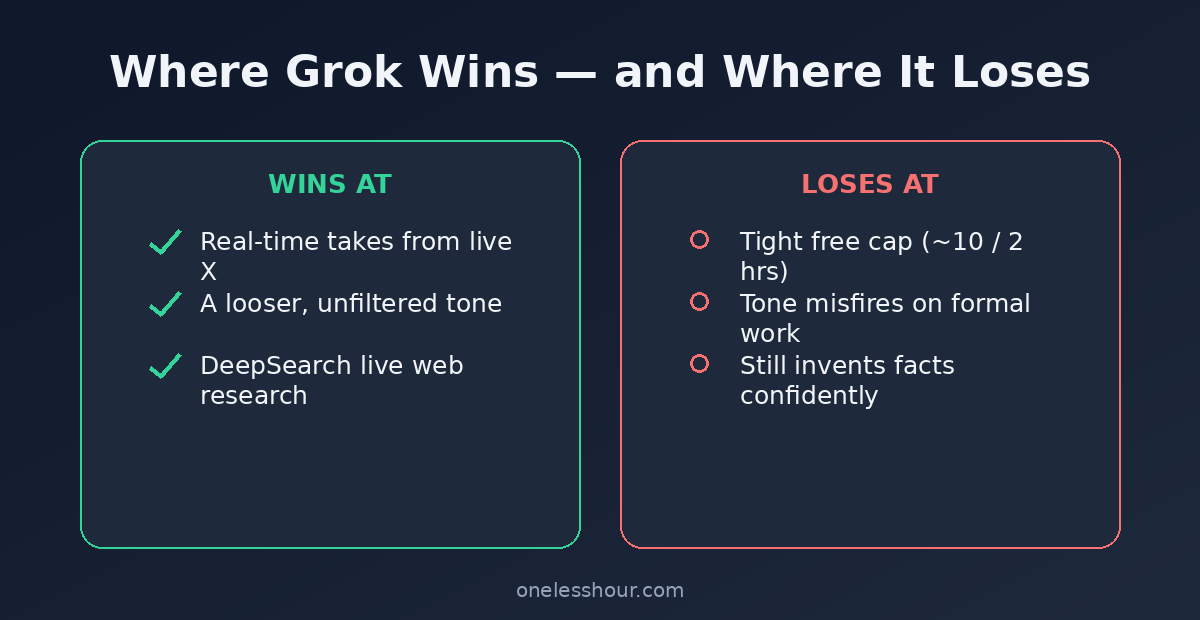
- Real-time takes. “What’s the reaction to [event] on X right now?” is something only Grok answers well, because it’s reading the live feed as you ask.
- Unfiltered tone. Grok will crack a joke and skip the corporate hedging. For brainstorming or casual chat, that’s refreshing.
- Deep research mode. Its DeepSearch feature crawls the live web and sources, which is handy for “what’s the latest on X topic” questions.
- Image and video generation. The paid tiers can create images and short video, so it’s not text-only like some rivals.
The prompt that shows this off best:
Using live posts on X, summarize how people are reacting to [TOPIC] right now. Give me the main camps, a representative quote for each, and whether the mood is mostly positive or negative.
Where Grok falls short
I’m not going to pretend it’s the best at everything. Honestly, it isn’t.
- That free cap is tight. Ten prompts per two hours disappears fast once you’re in a flow. Heavy users will feel boxed in quickly.
- The tone can misfire. The same sarcasm that’s fun in casual chat gets in the way when you just want a clean, professional draft.
- It still makes things up. Like every chatbot, Grok invents facts with total confidence. The live-data angle makes people trust it more than they should.
The downside: if you don’t already spend time on X, a lot of Grok’s edge is wasted on you. Skip it and stick with your current chatbot if real-time social data isn’t something you actually need.
How to actually use it well
Play to the live-data strength and you’ll get value ChatGPT can’t match. Here’s a prompt I keep for staying on top of a topic:
Act as my morning briefing. Scan X for the biggest developments in [YOUR INDUSTRY] in the last 24 hours. Give me 5 bullets, each with why it matters and a link if there is one.
Pro tip: when you want a serious answer, tell it so. Add “answer in a straight, professional tone, no jokes” and the sarcasm dials down instantly. The personality is a setting, not a fixed trait.
The other thing it’s quietly great at is digesting X itself. Drowning in a 40-post thread you don’t have time to read? Hand it over:
Summarize this X thread for me: [PASTE LINK OR TEXT]. Give me the main argument, the single strongest counterpoint in the replies, and whether it’s worth reading in full.
Grok vs ChatGPT: the short version
Use Grok when you want live, of-the-moment information or a looser conversation partner. Use ChatGPT when you want the most polished writing, the biggest feature ecosystem, and multimodal tools like image generation and file uploads. They’re not really rivals so much as different tools — I keep both open and reach for whichever the task calls for. If you’re deciding between the two, see my ChatGPT vs Grok comparison.
Should you actually pay for Grok?
For most people, not yet. The free tier covers real-time questions and the occasional deep search just fine. Here’s my rough rule of thumb:
- Stay free if you’re curious or dip in a few times a day.
- SuperGrok Lite ($10) if you keep slamming into the free cap.
- SuperGrok ($30) only once Grok has become a daily work tool and you want the top model.
- SuperGrok Plus ($100) only if you make a lot of video or keep hitting SuperGrok’s limits.
- Skip Heavy unless you’re a developer or researcher pushing it hard — $300 a month is a lot for a chatbot.
Pro tip: run the free tier for a full week before paying anything. You’ll know fast whether the live-X angle is worth real money to you, or whether your current chatbot already covers what you need.
Frequently asked questions
Is Grok free to use?
Yes. There’s a real free tier on grok.com and the mobile apps, with a usage cap that xAI doesn’t spell out. Paid plans start at $10 a month (SuperGrok Lite) and go up to $300 (SuperGrok Heavy); they lift the limits and unlock the top model.
Do I need X Premium to use Grok?
No. You can use Grok straight from grok.com or the standalone app without paying for X. Bundling used to be the only route, but the standalone free tier means you don’t need an X subscription anymore.
Is Grok better than ChatGPT?
For real-time information from X and a less filtered tone, yes. For polished writing, image generation, and a bigger toolkit, ChatGPT still leads. The honest answer is that they’re better at different things.
What is Grok’s “spicy” mode?
It’s a less-filtered setting that lets Grok be blunter and more irreverent than other chatbots. It’s part of the appeal for casual users, but I’d keep it off for anything work-related — the output gets unpredictable.
Can Grok access the internet in real time?
Yes, and it’s the main reason to use it. Grok reads live posts on X and, with DeepSearch on, crawls the wider web too. That’s why it can answer “what’s happening with [topic] right now” in a way ChatGPT’s free tier can’t.
Where to start
Open grok.com, stay on the free tier, and run the “morning briefing” prompt on a topic you care about. If that real-time scan saves you time you’d have spent scrolling, Grok has earned a spot in your rotation. If it doesn’t, you’ve lost nothing.
Curious how the other big assistants stack up? I’ve written plain-English guides to how to use Claude AI and how to use Google Gemini too — and if you want a free ChatGPT rival that’s strong on logic, see my guide to DeepSeek.